Your family's health records. Private, organized, always with you.
A private, offline medical report vault and organizer for the whole family — keep lab reports, prescriptions, medicines, vitals, and reminders encrypted on your phone, without creating an account.
Health records are everywhere — WhatsApp, labs, hospitals, galleries, and old files.
AyuVault brings them together in one private place, so you can find the right report when a doctor asks for it.
Lab and hospital portals
Every lab, clinic, and hospital stores reports differently, with no simple family view.
WhatsApp and chat apps
Reports get forwarded, renamed, duplicated, and buried inside family chats.
Phone gallery
Photos of reports sit beside regular pictures, with no patient name, test name, or context.
Clinic visit
The doctor asks for an old report or trend, and the family starts searching under pressure.
Core records stay encrypted on your device — built for families who want control, not another medical portal login.
Save reports, understand trends, and share only what you choose.
Designed around everyday Indian family needs — lab reports, prescriptions, medicines, doctor visits, and emergency access.
Store
Lab reports, prescriptions, discharge summaries, scans, vaccinations, and insurance documents — organized by family member.
Scan & review
Camera scan or import PDFs/images. OCR extracts common lab values — you review before saving.
Track trends
Follow biomarkers like hemoglobin, glucose, HbA1c, and cholesterol, plus vitals like weight and blood pressure.
Manage medicines
Doses, schedules, refill reminders, and care tasks, with local notifications at the times you choose.
Share with care
Doctor-ready PDFs, selected report summaries, and an emergency card you control — shared only when you choose.
Built for how Indian families actually manage health paperwork.
From WhatsApp PDFs to lab reports, prescriptions, vitals, medicines, and family profiles.
Records, organized
Lab reports, prescriptions, discharge summaries, insurance files, and vaccination records — neatly separated by profile.
Scan, import, or share to AyuVault
Use your camera, import PDFs/images, or save files shared from apps like WhatsApp. On-device OCR helps extract common lab values.
Review before saving
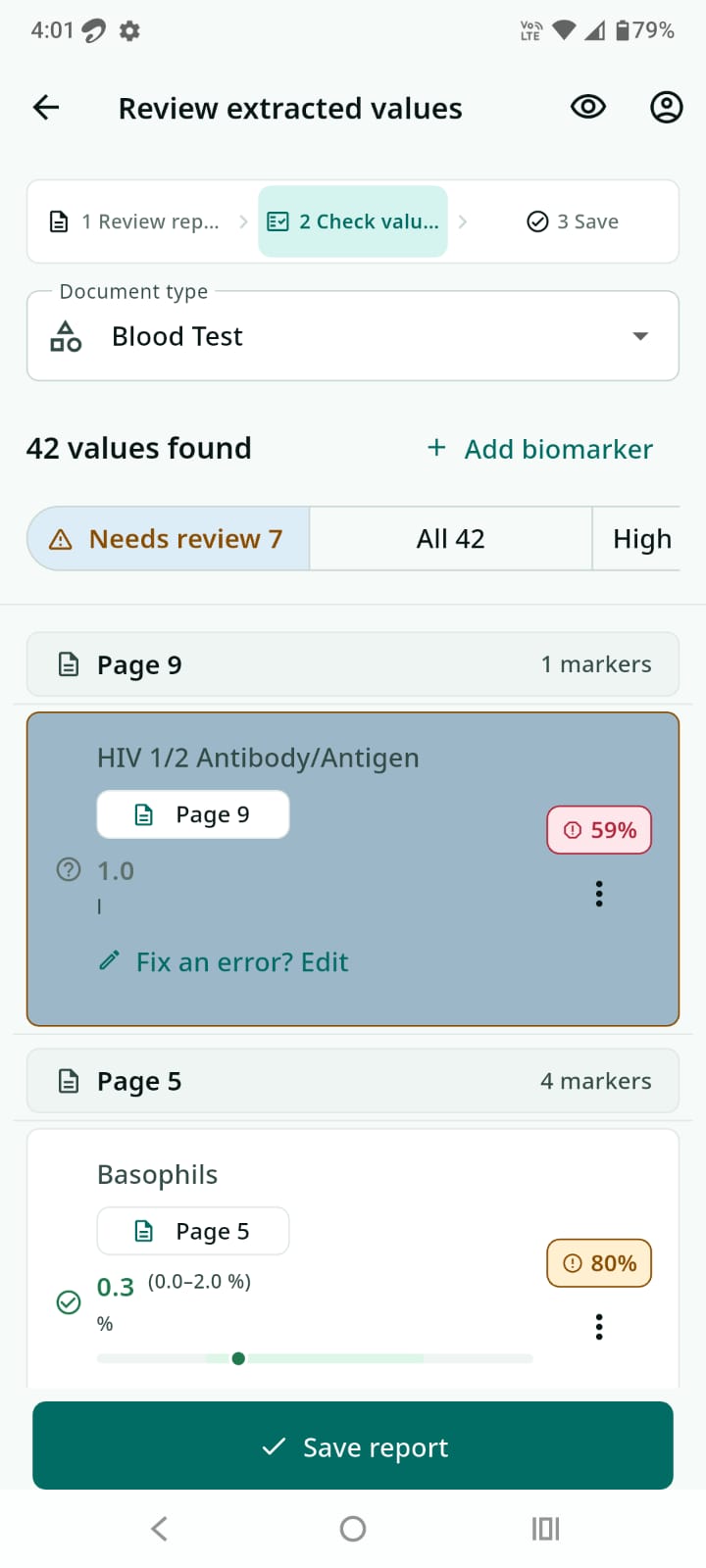
Extracted values get a confidence score and a review queue, so you confirm accuracy before anything is saved.
Biomarker tracking
Track values like hemoglobin, glucose, HbA1c, cholesterol, TSH, creatinine, and lipids, with reference ranges and statuses.
Trend charts
Watch any biomarker move over time, and compare reports side by side to see exactly what changed.
Vitals
Record weight, BMI, blood pressure, and pulse alongside the rest of your health history.
Family profiles
Multiple profiles with photos keep each family member's records separated and organized.
Medicines & reminders
Track medication names, doses, and schedules, with local notifications for refills and doses.
India-first, global-ready
Built for Indian families first, with support planned across English, Hindi, Bengali, Marathi, Telugu, Tamil, Gujarati, Spanish, and French.
Doctor-ready PDFs
Generate clear summaries and exports to bring to an appointment, comparing selected biomarkers over time.
QR share & emergency card
Share selected details intentionally. QR sharing expires automatically after a configured time window.
Encrypted backup
Create an encrypted .avault backup file and restore it later with your PIN.
Daily health routines, kept with the records.
Beyond storing reports, AyuVault helps families keep practical care details in one place: medicines, local reminders, and cycle history for each profile.
Medication organizer
Save medicines, doses, schedules, refill reminders, and dose logs for each family profile.
Local reminders
Configure notifications for medicines, refills, backups, and health tasks you choose to track.
Cycle tracking
Track period dates, cycle history, symptoms, notes, and related reminders where enabled.
Log, schedule, and make it yours — all on your device.
Real screens from AyuVault. Everything here works offline, with your records staying on your phone.
-
Open to a clear daily view — what's due today, anything that needs attention, and quick actions to scan, add, or enter values.
-
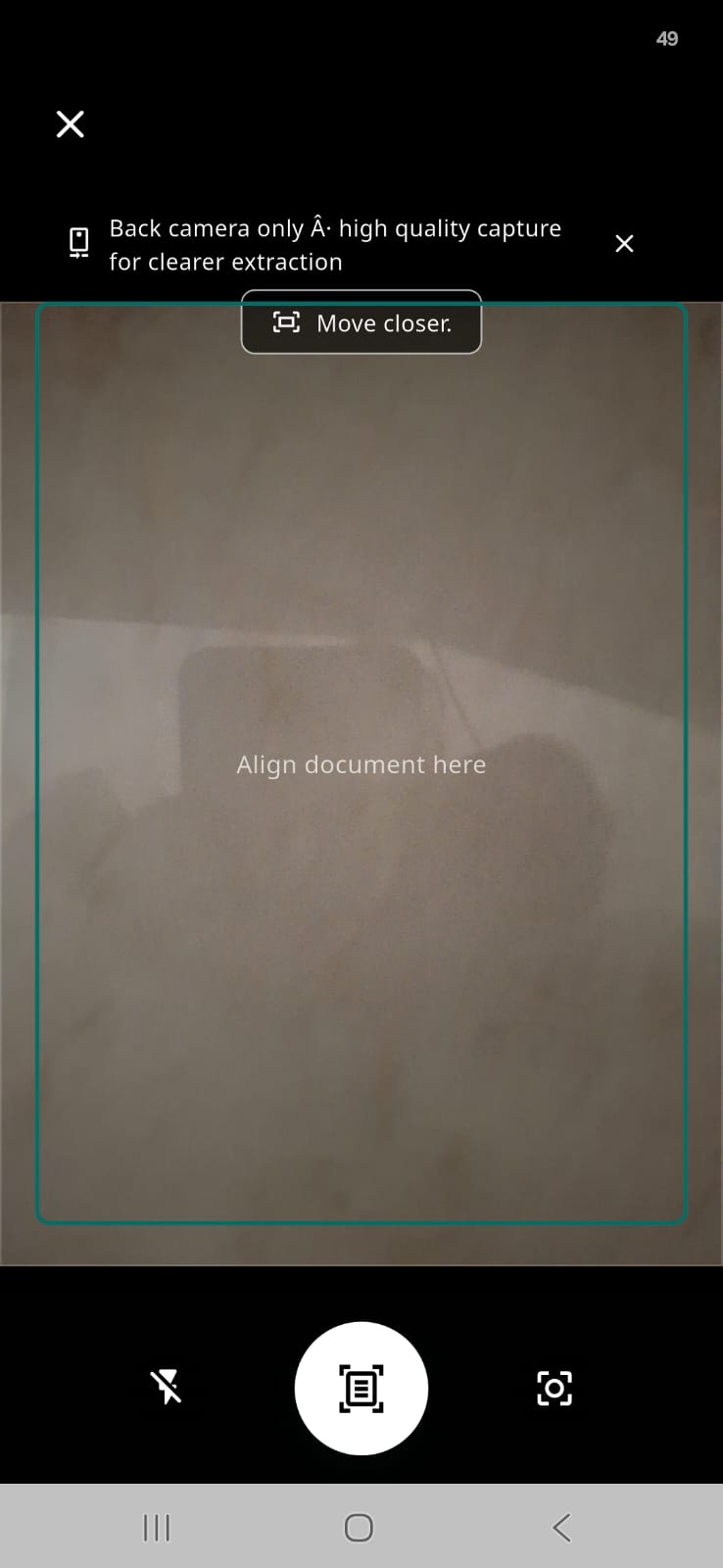
Line up a paper report in the frame — the back camera takes a high-quality capture and on-device OCR helps pull out the values, all without leaving your phone.
-
Import a PDF or photo of a lab report or prescription — high-resolution OCR reads it page by page, then you check every extracted value with a confidence score before saving.
-
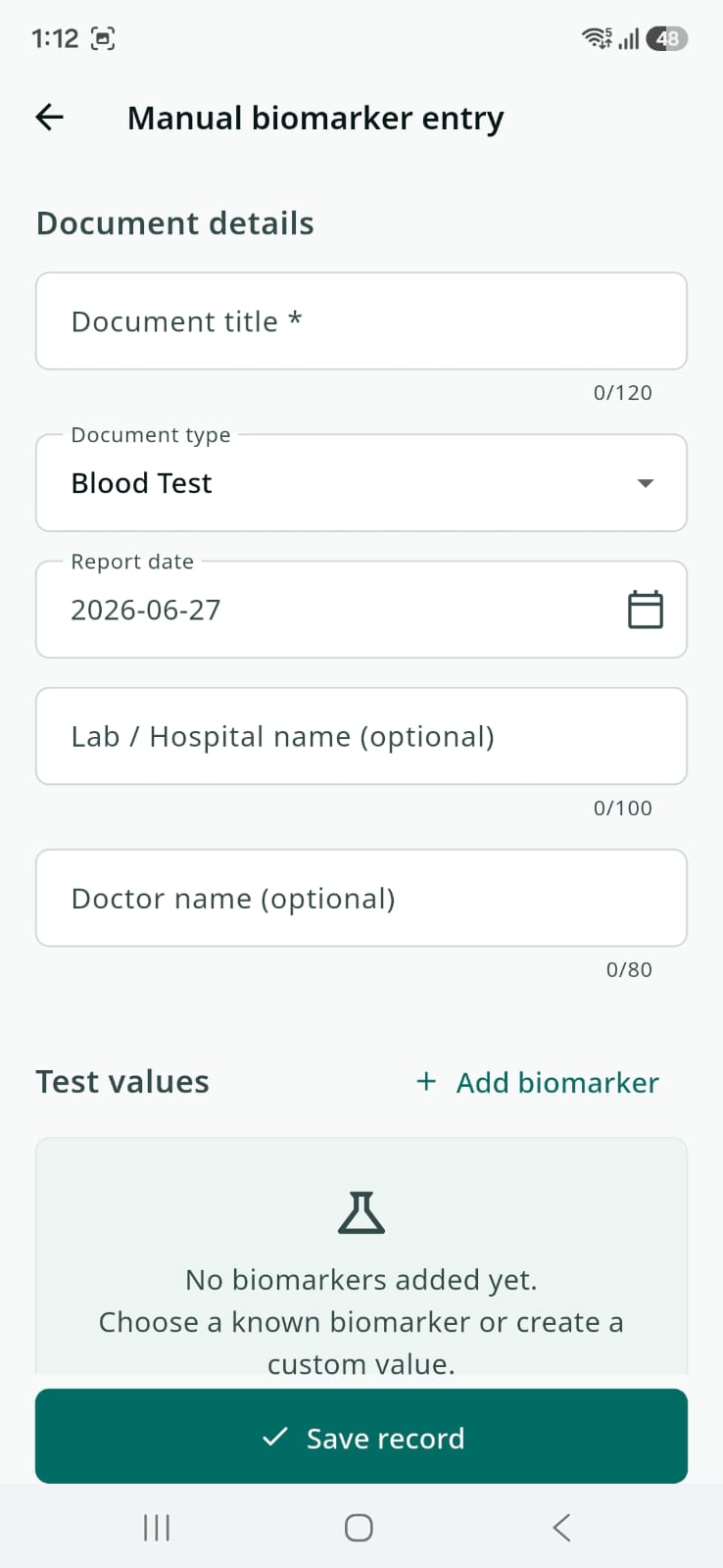
Prefer to type it in? Log a blood test or any document by hand — set the title, document type, report date, lab or hospital, and doctor, then add individual biomarker test values.
-
Watch any biomarker move over time — open a value to see its trend line, compare reports side by side, and spot at a glance what's improving or needs attention.
-
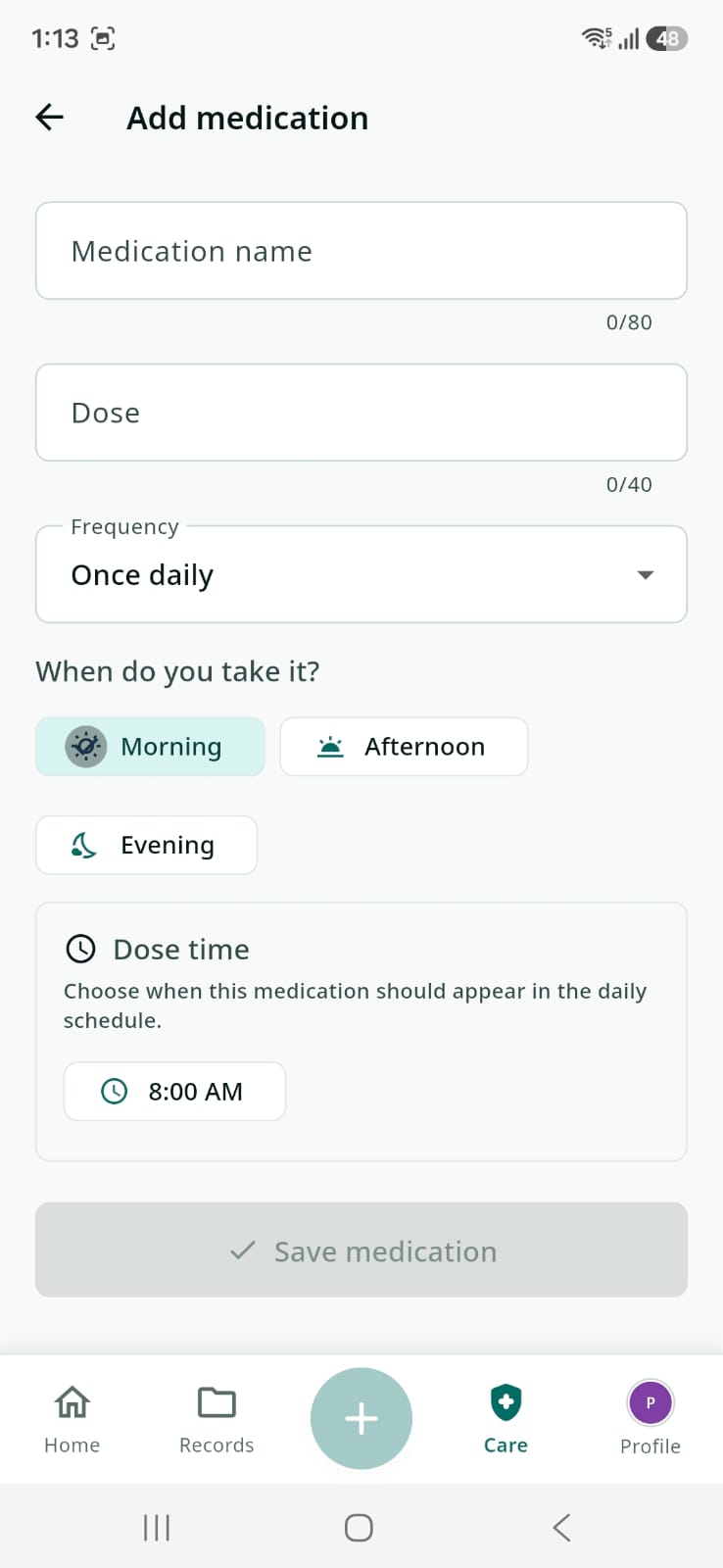
Add a medicine with its dose and frequency, tag the times of day — Morning, Afternoon, Evening — and set a dose time so it lands in the daily schedule.
-
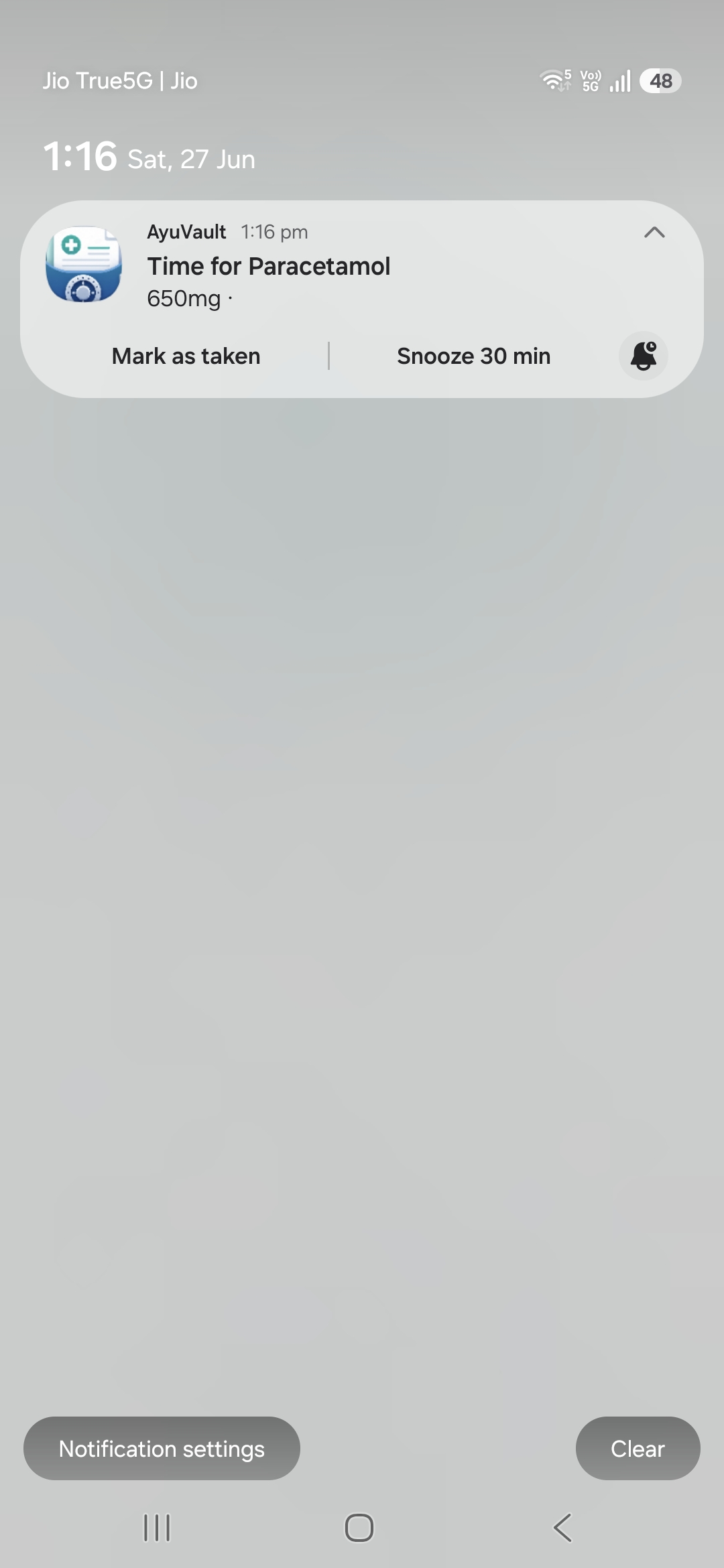
More than just medicines — set reminders for doses, refills, vitals checks, and everyday care tasks. Native notifications like "Time for Paracetamol 650mg" arrive with Mark as taken and Snooze 30 min actions, so nothing slips through.
-
Set reminders for upcoming checkups, doctor appointments, vaccinations, and refills — native notifications keep the whole family on schedule, on time.
-
Log period dates on the calendar and AyuVault estimates the next cycle — "22 days left to start", expected dates, and an optional reminder before your expected period.
-
A quick emergency medical card with name, age, and blood group — plus an Emergency QR you reveal only when someone needs to scan it. Share or print it in a tap.
-
A complete overview for each family member — photo, age, and blood group, with their records, vitals, and medicines all kept neatly separate by profile.
-
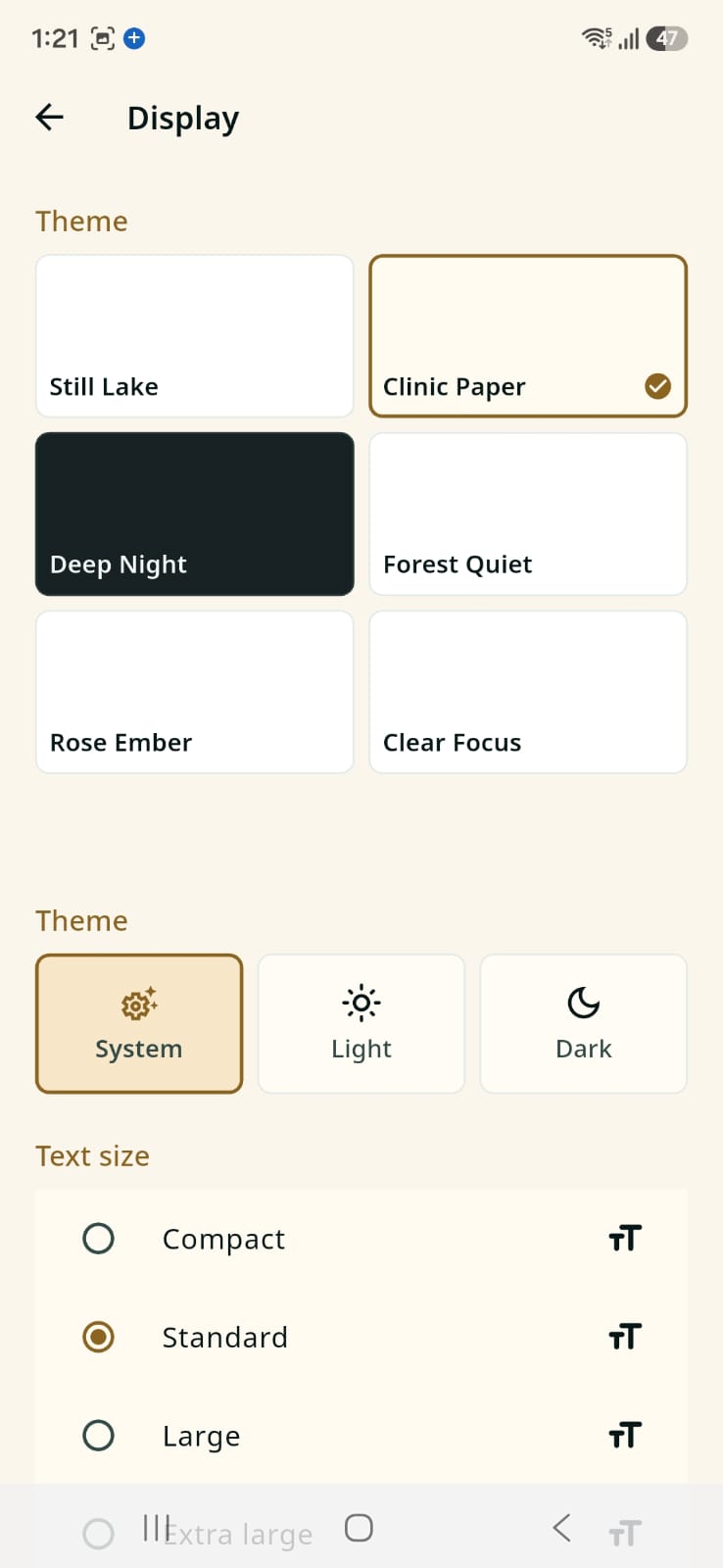
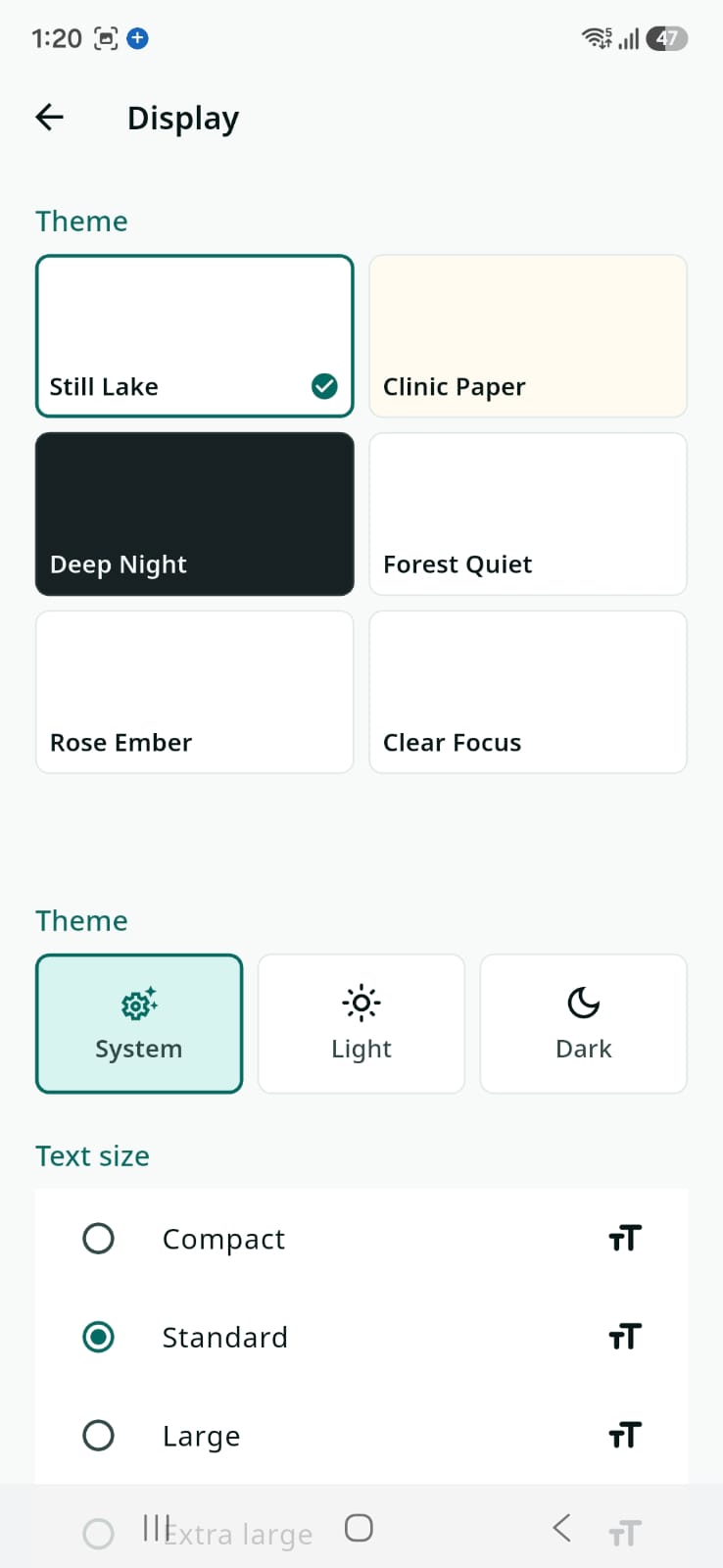
Pick from six themes — Still Lake, Clinic Paper, Deep Night, Forest Quiet, Rose Ember, Clear Focus — choose System, Light, or Dark, and set text size from Compact to Extra large.
Private by design, with technical details for users who want to verify.
The homepage keeps privacy simple. This section gives the practical version: local encrypted storage, no required account, offline-first core features, and controlled sharing.
6-digit PIN
You unlock the vault with a 6-digit PIN that only you know. The PIN itself is never stored by AyuVault.
Key derivation
Your PIN and a device secret are run through a key-derivation function to produce the encryption key.
Local unlock
The derived key unlocks the encrypted database stored on your device.
Encrypted database
Your records live inside an encrypted local database, not a central health-record server.
.avault encrypted backup fileYour data belongs to you.
AyuVault is designed around manual encrypted backups you control, including .avault files you can store safely outside the app.
When you need to move phones or recover data, restore your backup with the correct PIN instead of depending on a central health-record account.
We have open-sourced the desktop backup restoration tool so anyone can verify how backups work on Windows, macOS, or Linux.
View Backup Restore Tool on GitHubManual backup files
Create encrypted .avault backups that stay under your control.
Restore with your PIN
Restore a backup later with the correct PIN; AyuVault cannot reset it for you.
Transparent by design
Anyone can inspect the restoration code and verify how backups are recovered.
Desktop restore tool
Use the open-source tool on Windows, macOS, or Linux if the mobile app is unavailable.
Get the private family health vault on your phone.
AyuVault is launching soon on Google Play and the App Store. Want to know the moment it's live? Ask us to notify you.
No account required for the core app. Core records stay encrypted on your device.
Plain-language guides for private family health records.
Learn how to organize medical reports, compare offline and online health records apps, review OCR values, and keep medicines connected to family profiles.
Frequently asked questions
.avault backup files that you can restore later with the correct PIN. The desktop restoration tool is open source so users can verify how restore works.AyuVault is a personal health records organizer. It is not a medical device and does not provide medical advice. Always consult a qualified healthcare professional for medical decisions.