LAB REPORT OCR
Lab Report OCR Apps: Why Review Before Saving Matters
OCR can make lab reports easier to search and track, but it should never be treated as perfect. A safe lab report OCR app helps users review extracted values against the original report before saving them.
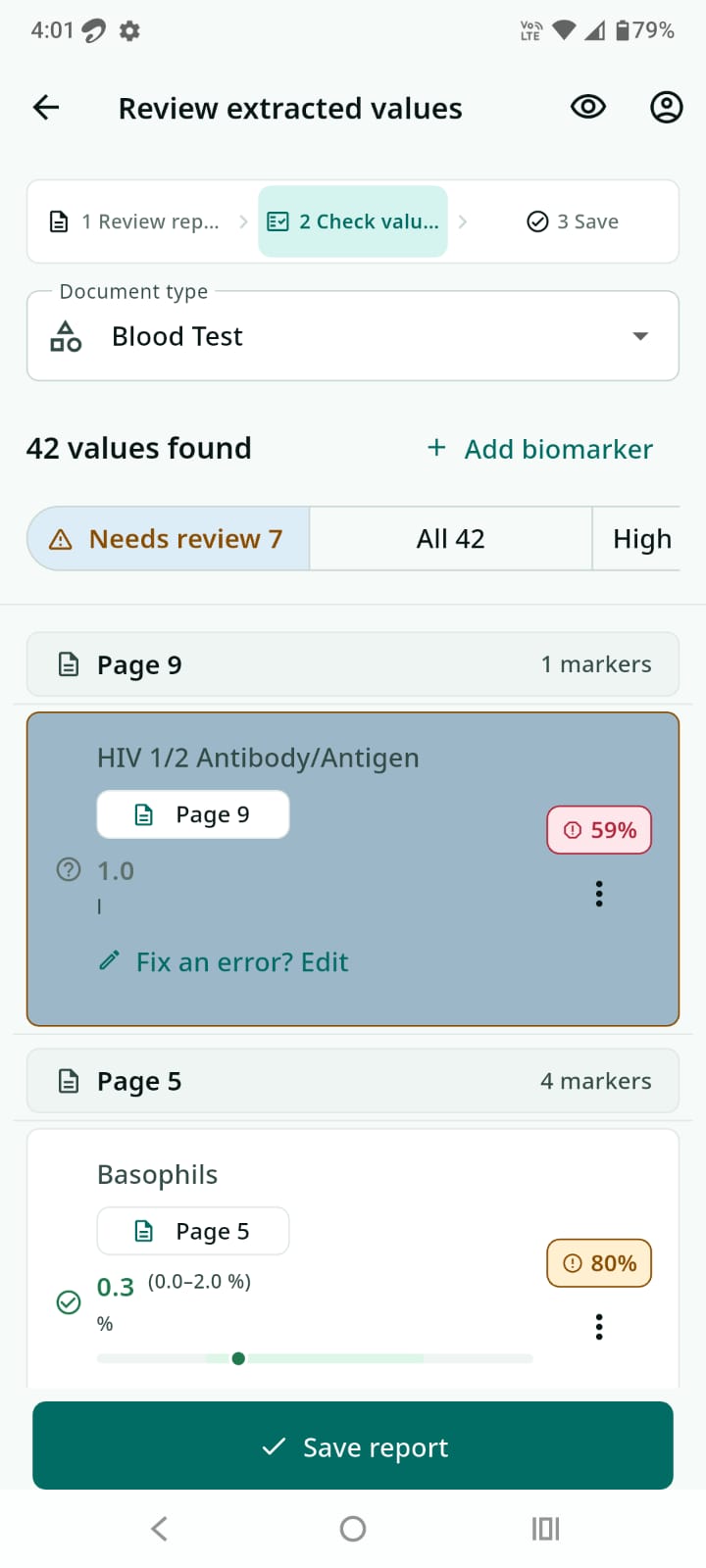
Lab report OCR is useful because reports are not just documents; they contain values people may want to compare over time. Hemoglobin, glucose, HbA1c, cholesterol, TSH, creatinine, and other biomarkers can be easier to understand when they are organized into trends. But OCR is only a starting point.
What OCR does well
OCR can read text from a scanned image or PDF. In a health records app, OCR may help detect test names, values, units, reference ranges, and dates. This can save time compared with typing every value manually.
Where OCR can go wrong
Medical reports vary widely. A value may sit in a table, a unit may wrap to the next line, a decimal point may be faint, or a scan may be tilted. Some reports use abbreviations, multiple columns, handwritten notes, or mixed languages. A small OCR mistake can change the meaning of a lab value.
That is why a responsible OCR flow should not silently save extracted health values as if they are guaranteed correct.
The review step is the safety layer
A review screen lets users compare extracted values with the original report. It gives them a chance to correct a number, skip a value, or keep only the entries they trust. This is especially important for biomarkers, where units and reference ranges can matter.
How AyuVault handles OCR
AyuVault supports scanning paper reports and importing PDFs or images. OCR helps extract common lab values, but users review those values before saving. The app is designed as a health records organizer, not as a diagnostic tool. It does not replace a doctor, and OCR output should always be checked against the original report.
What to look for in a lab report OCR app
- Original report remains available.
- Extracted values are shown for review.
- Users can edit or reject values before saving.
- Reports can be organized by person and date.
- Privacy and storage behavior are explained clearly.
- The app avoids claiming perfect OCR accuracy.
Bottom line
OCR is helpful when it reduces manual work. It becomes risky when it hides uncertainty. AyuVault uses OCR as an assistant inside a private medical report vault, with user review as the final step before health values are saved.
Frequently asked questions
Can OCR read lab reports perfectly?
No. OCR can make mistakes, especially with tables, units, faint scans, abbreviations, or unusual report layouts.
Does AyuVault save OCR values automatically?
AyuVault is designed around user review, so extracted values can be checked against the original report before saving.
Why keep the original report if OCR extracts values?
The original report contains context such as lab name, date, reference ranges, units, notes, and the source document for verification.